
Hands-free scrolling,
at your pace.
Smooth scrolling for long reads, page turns for books, and a swipe to the next short video every few seconds. No account. Free with ads; a one-time Pro removes them.
Free · One-time Pro · Android 7.0 and later

Sit back.
It scrolls.
Touch to stop.
How it works
Turn it on once.
Then just read.
Three steps, and nothing to sign up for.
- 01Turn on SwipeGlideSwipeGlide explains on its own screen what its Accessibility service does and doesn't do. You agree, then switch it on in Android's settings.
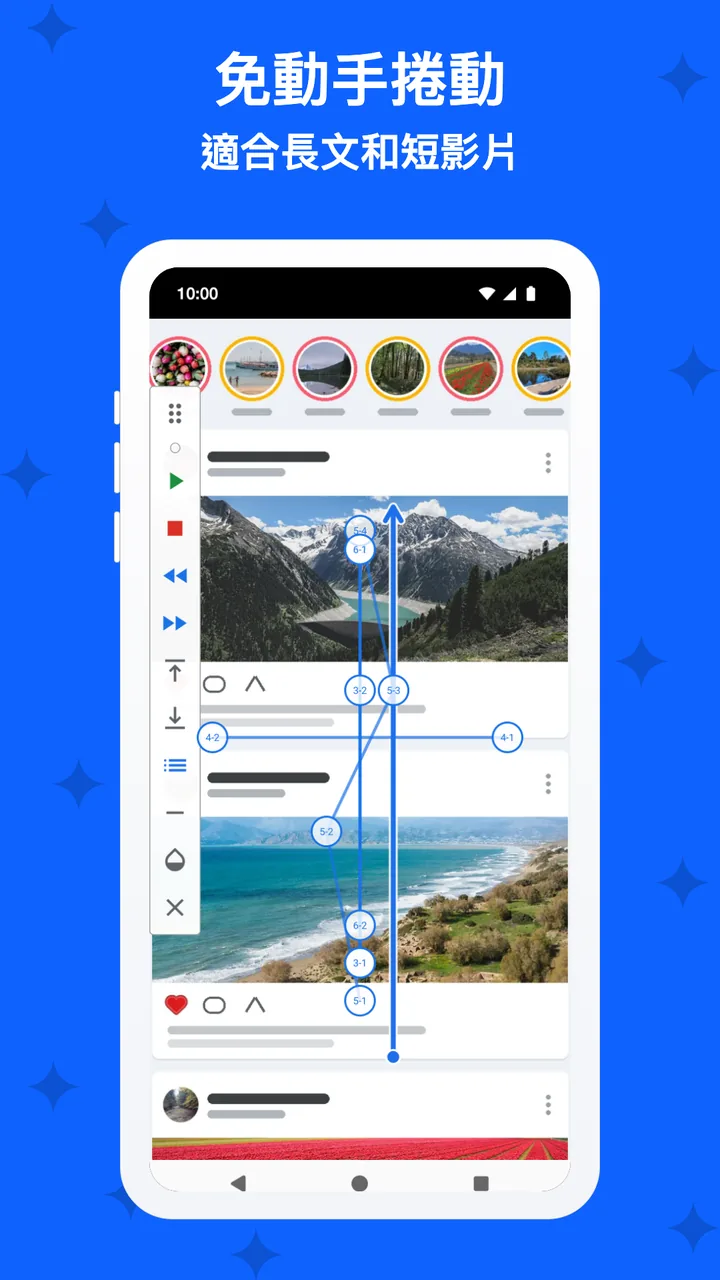
- 02Pick a modeSmooth scroll, page turns or a swipe every few seconds, in any of four directions, at the speed you choose.
- 03Press PlayOpen what you want to read or watch. Touch the screen to pause; the floating controls always have Stop.
Smooth scroll
Long reads,
no thumb needed.
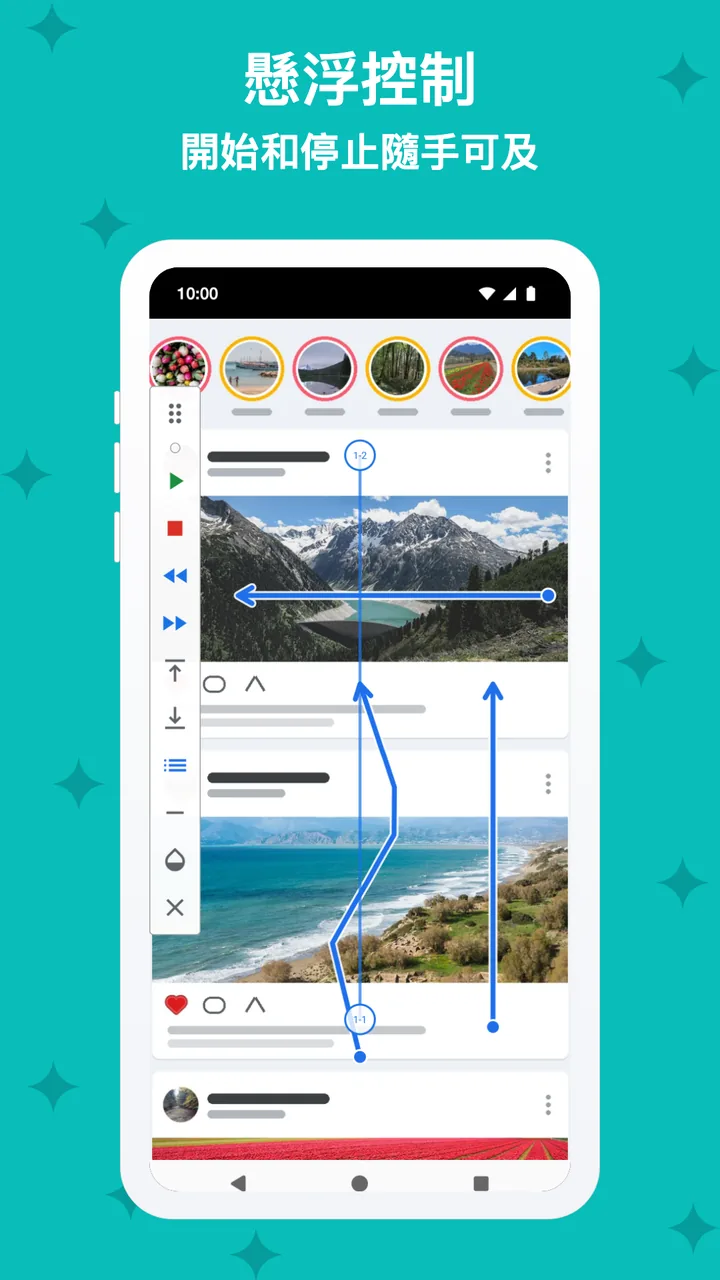
A steady scroll at the speed you choose, up, down, left or right. Faster, slower, pause and direction are on the floating controls.
- Speed you choose, 4 directions
- Floating play, pause, faster, slower
- Stop timer, or stop after N swipes

Page mode
Page turns
for books.
One page every few seconds, for e-books, comics and long documents, with a soft cue just before each turn. With Pro, a reading ruler keeps your line, and the teleprompter scrolls your own text at the words per minute you choose.
- One page every few seconds
- A cue before each turn
- Pro: reading ruler and teleprompter

Short videos
Next video,
every few seconds.
A swipe to the next video every few seconds, in a safe lane that never presses like or follow buttons. Hold the current video when you want more time. With Pro, use random intervals.
- Swipe every N seconds
- A safe lane that never presses a button
- Pro: random intervals

Profiles
It remembers
each app.
Save a profile per app, and with Pro it loads by itself when you open that app. Set the limit: stop after 20 videos or pages, see today's count, and decide whether you want one more.
- 2 profiles free, unlimited with Pro
- You set the limit: stop after N
- Pro: loads by itself when the app opens
Privacy
It scrolls.
It never stores your screen.
SwipeGlide finds the list to scroll at the moment it scrolls and never keeps what is on the screen. It takes no screenshots and never sends what is on the screen.
- No screenshots, nothing stored
- Pauses when you touch the screen
- No account; Pro removes the ads
And more
The small things,
done right.
Smooth or page
Two ways
to move through a page.
Smooth mode moves the page a little all the time, so your eyes can follow. Page mode waits, then turns a whole page at once, like a book.
- Smooth: a steady glide at your speed
- Page: a full page every few seconds
- Either one pauses when you touch the screen
Illustrative example: smooth scroll and a page turn every 10 seconds.
Pricing
Free to use.
Pro is one payment.
Free: smooth scroll, page mode, a swipe every N seconds, 4 directions, stop on touch with resume, stop after N, remote keys, wave and shake, and the stop timer. Up to 2 profiles.
SwipeGlide Pro
- Unlimited app profiles that load by themselves
- Random intervals
- Reading ruler
- Teleprompter with words per minute and mirror
One payment through Google Play, no subscription. Google Play shows the price in your currency. Google Play's refund policy applies.
No catch.
Privacy
Your profiles
stay on your phone.
SwipeGlide reads the screen only to find what to scroll, at that moment, and never keeps or sends it.
Only what the ad networks in the free version collect: the advertising ID, device and app information, ad interactions and an approximate location from your IP address, never what is on your screen or your profiles. Payments are handled by Google Play; SwipeGlide checks your purchase on the device. 隱私權政策 →
Questions,
answered.
Why does it ask for Accessibility?
Android lets apps scroll and swipe in other apps only through its Accessibility service. SwipeGlide uses it to scroll at your pace, find the list to scroll and know which app is in front for profiles. It explains this on its own screen and asks for your consent first.
Does it save what I read or watch?
No. It reads the screen only at the moment of scrolling to find the list or a video's progress, and keeps nothing. It takes no screenshots and never sends what is on the screen.
How do I stop it?
Touch the screen to pause, press Stop on the floating controls, or set a stop timer.
Does it work with any app?
It works with most apps that scroll or swipe. Use the Playground in the app to try the modes first.
Which Android versions does it support?
Android 7 and later, because that is when Android added gestures for accessibility services.
What do I get for free?
Smooth scroll, page mode, a swipe every few seconds, 4 directions, stop on touch with resume, stop after N, remote keys, the stop timer and 2 profiles. The free version never expires; it shows ads, and Pro removes them.